Archive for November, 2008

November. I blew it. (2008) nablopomo.com

Or National Blog Posting Month Post Mortem…

Well, it wasn’t exactly an unqualified success. Including this one, I made 27 posts in November – three short of the goal. Those 27 posts were made on only 22 days – so even further from the goal of posting every day.

That said, this was my most productive month since April 2006, which is no bad thing. For the first ten months of 2008 I’d averaged 6 posts per month, so the real goal of getting me blogging more frequently was definitely achieved.

I don’t think I’ll try it again in December but maybe sometime early next year.

 
Very True Mood: (contemplative) contemplative
Tags:

Picking up from my first attempt here’s a more methodical approach.

Objectives

  1. Buttons (both <input type="submit"/> and links masquerading as buttons that have rounded corners.
  2. Works in recent versions of Gecko, WebKit, Opera and Internet Explorer
  3. As little extra mark up as possible
  4. Any JavaScript used must be generic and not tied to one particular style of button, i.e. change element.className not element.style

HTML + CSS

Let’s start with the standards based solution that works in Gecko and WebKit based browsers.

<input class="button-rounded" type="submit" value="Go"/>

<a href="#" class="button-rounded right">Go

.button-rounded {
  font: bold 100%/1 Verdana, sans-serif;
  text-decoration: none;
  background-color: #2e4c37;
  color: #fff;
  border: 2px solid #fff;
  border-radius: 4px;
  -moz-border-radius: 4px;
  -webkit-border-radius: 4px;
}

As you can see from Example 2A this works very nicely in Gecko but has a few issues with padding and line heights in WebKit. If you examine the code of the example you’ll see some extra styles to tweak the padding so that the button and the link look the same (at least in Firefox) and also to produce examples where the buttons are floated (this variation is widely found on the web and also through up some problems during testing).


Add elements via JavaScript

As prevously we’re now going to use JavaScript (in the example code jQuery) to wrap the button in a span and then insert four extra elements into that span. We also add a new class to the button itself.

if($.browser.msie || $.browser.opera)  {
  $('.button-rounded').addClass('wrapped').wrap(
    '<span class="button-rounded"></span>'
  );
  $('span.button-rounded').append(
    '<i class="tl"></i><i class="tr"></i><i class="bl"></i><i class="br"></i>'
  );
};

.button-rounded.wrapped {
  border: none;
  background: transparent none;
  float: none;
  margin: 0;
}
span.button-rounded {
  position: relative;
}
span.button-rounded i {
  position: absolute;
  width: 4px;
  height: 4px;
  background: url(corners.png) no-repeat;
}
span.button-rounded i.tl {
  top: -2px; left: -2px;
  background-position: 0 0;
}
span.button-rounded i.tr {
  top: -2px; right: -2px;
  background-position: -4px 0;
}
span.button-rounded i.bl {
  bottom: -2px; left: -2px;
  background-position: 0 -4px;
}
span.button-rounded i.br {
  bottom: -2px; right: -2px;
  background-position: -4px -4px;
}

This removes most of the styles from the button and applies them to the wrapping span – this helps a lot as spans are more predictable than inputs.

But a quick look at Example 2B reveals that the floated elements don’t seem to be in the right place anymore. We forgot that there are two classes and hence two sets of styles on these buttons.

$('.button-rounded.right').removeClass('right').parent('span').addClass('right');
$('.button-rounded.left').removeClass('left').parent('span').addClass('left');

Okay, Example 2C is a step in the right direction but there are still a number of issues. In IE the floated buttons are two wide and the inline input is missing its bottom border. In Opera the two inline examples have a problem with the location of the right side corners.


Fine Tuning Internet Explorer

Add display: inline-block; to the styles for .button-wrapped. Simple and works brilliantly, Example 2d.


Fine Tuning Opera

As the browser with the smallest market share we’ve left Opera to last and hence it’s been the victim of a few CSS style choices that have been made with IE and Firefox in mind. We could deploy some CSS hacks to feed it different styles but this time I decided to use JavaScript instead.

if ($.browser.opera) {
  $('input.button-rounded').addClass('opPad');
  $('span.button-rounded').each( function() {
    if($(this).css('float') == 'none') {
      $(this).children('i.tr, i.br').addClass('opNoFlo');
    };
  });
};

input.button-rounded.opPad {
  padding: 1px 5px 2px 5px;
}
span.button-rounded i.opNoFlo {
  right: -4px;
}

So there we are, Example 2e.


If you want a hover effect on your buttons just add .button-rounded:hover and change the background and border properties. It may be easier to change the span.button-rounded:hover i background image but it’s probably better practice to change the background-position values instead and use a single corners.png as your CSS sprite holder for both normal and hover states. (Or take the easy way out and just change the text colour as I did in the last example.)

If you have multiple styles of buttons then use contextual selectors to set different CSS whilst keeping the JavaScript common across the entire site. In a real world case I have a common style that gets changed for a few <form id="foo">.


Now for the bad news. I’ve tested this in IE 7, FF 3, Opera 9.6, Safari 3, Chrome 0.4.154.22 on Windows XP. I’ll be testing in IE 6 and IE 8b2 shortly but would appreciate feedback regarding other platforms and browsers.

Very True Mood: geeky
Very True Music: Gang of Four – Damaged Goods

I watched the first episode of The Devil’s Whore last week but found my attention drifting. I just couldn’t be bother to watch this week’s episode. Was it any good?

My main reaction has been a wave of nostalgia for By The Sword Divided. Anyone else remember that one? I think I had an early crush on the blonde daughter but as it was over twenty years ago I’m not quite sure.


“I’m about to walk into the cathedral and it will all hit the fan.”

Tags:

On Thursday my hard drive died. Not the important one, just the one with Windows on it.

So one trip to PC World and many hours spent watching progress bars later… I have an odd situation.

I used to have a C: drive with Windows on it (part of the original configuration of the PC) and an X: drive with all my data (which I had added later). When I inserted the brand new drive in the first bay and started the Windows install it recognised that the drive in the first position was unformatted and the one in the second was formatted. Good stuff, so I told it to format and install on the first drive.

Except now it sees the first drive (the new one with Windows on it) as D: and correctly sees it as the Boot drive, and the second (i.e. the old X: drive with may data on it) as C: and sees it as a System drive.

So far only one program has been stupid enough to install itself to C:\Program Files\ rather than D:\Program Files. And googling the subject brings back lots of advice saying “if Windows installed itself with these drive letters, don’t try to change them”.

I’m not too fussed about C: and D: being the “wrong” way round, but why is D: being seen as a System drive? And what are the possible conseqences?


That last post? Some of you may have noticed that it doesn’t work very well.

The styles applied to the button and the button’s parent element make a difference in how IE (and to a lesser extent Opera) handle the positioned elements.

My current line of attack is to use more jQuery to remove some styles from the button itself and apply them to the inserted span. For Opera, I’m looking at the SVG solution.

This time I may wait until I’ve finished testing before posting.


Today I decided to try and build rounded corners on a button that would work in both CSS 3 compliant browsers (Gecko and WebKit based browsers, i.e. Firefox, Camino, Safari, Chrome, etc.) and also in IE and Opera.

The HTML

<input type="submit" value="Go" class="button-rounded"/>

Nice and clean.

The CSS

.button-rounded {
        border: 2px solid #fff;
        padding: 0 2px;
        background-color: #2e4c37;
        color: #fff;
        font-weight: bold;
        border-radius: 4px;
        -moz-border-radius: 4px;
        -webkit-border-radius: 4px;
}

This is enough to do the trick in the known good browsers and in any unknown CSS 3 compliant browsers. (This part of the CSS 3 spec, whilst still not finalised, is unlikely to change.)

More CSS

span.corners {position: relative;}
span.corners i {position: absolute; width: 4px; height: 4px; background: url(corners.png) no-repeat;}
span.corners i.tl {top: 0; left: 0; background-position: 0 0;}
span.corners ispan.corners ispan.corners i.tr {top: 0; right: 0;  background-position: -4px 0;}
.bl {bottom: 0; left: 0; background-position: 0 -4px;}
.br {bottom: 0; right: 0; background-position: -4px -4px;}

Yet more CSS for IE (use a conditional comment or your hack of choice)

span.corners i.tl, span.corners i.tr {top: 1px;}
span.corners i.bl, span.corners i.br {bottom: 1px;}

(There’s a one pixel difference betwen the way Opera and IE draw the button, hence the branched CSS. This may not always be the case, depending on the CSS styles you use for the border but with a 2px wide border with a 4px corner radius it was the case.)

[Update] It seems that IE8 differs from IE7 in this respect. I’ll revisit this article when IE8 leaves beta.

The graphic

, a bit small, here it is ×4 . That’s all four corners in one graphic, for use as CSS Sprites in the above CSS code.

But where are these elements that this extra CSS references? They get added by JavaScript, in this case using the jQuery library.

The JavaScript

if(($.browser.msie && $.browser.version == '7.0') || $.browser.opera) {
        $('.button-rounded').wrap('<span class="corners">>/span>');
        $('span.corners').append('<i class="tl"></i><i class="tr"></i><i class="bl"></i><i class="br"></i>');
};

Why <i>? Because it uses the least code. If you like you can use <span> instead.

Why browser sniff? Because we don’t want to write extra code into the page for browsers that don’t need it and it’s hard to include IE and Opera but exclude FF and Safari by other means.

Remember that any browser excluded from the JavaScript and incapable of using CSS 3 will get a button with square corners. We are not excluding anyone from functionality, nor from the general design – just from one small detail.

The result

So Firefox and Safari get rounded corners via CSS. IE7 and Opera get some extra code which positions graphics over the corners of the buttons.

Still to do

IE6 has some problems with using the right and bottom CSS properties. Hence for the moment I exclude it from the JavaScript. This is what I hope to resolve in part 2.

There’s also a potential future-proofing issue – when Opera and IE start supporting border-radius this code will position the graphics over the rounded corners, which may or may not work depending on how closely their rounded corners match the ones Gecko draws (the graphic was produced from a screen shot of the corners in Firefox).

Part 2, in a few days.


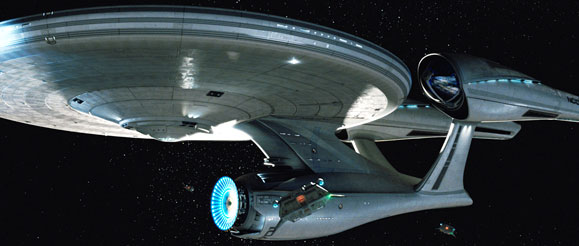
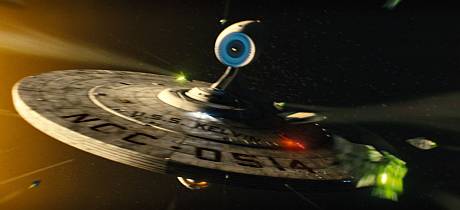
There are only a few things that [info]pink_weasel and I disagree on, but one of them is the concept of jumping the shark. Lettice believes that it is a binary event – a show can only jump the shark once; there’s a before and there’s an after. I believe that it is always possible to find a new and bigger shark to jump over.

This disagreement normally surfaces whilst we’re watching or discussing CSI: Miami.

Tonight’s episode. In fact the pre-titles sequence of tonight’s episode is a perfect example of my thesis.

I’m not going to put a spoiler cut for CSI: Miami, okay?

Horatio gunned down seven gangsters – several armed with automatic weapons, three in or on vehicles – armed only with a pistol without getting a scratch on him; in fact it was nine shots, seven kills. Now, considering that this show jumped the shark a long time ago (Lettice maintains that it jumped, before a single episode had aired, as soon as David Caruso was cast) was this not a new and bigger shark to jump? Will there be a scene next year where Horatio takes out a tank or a helicopter gunship with his trusty sidearm?
Very True Mood: (amused) amused
Tags:

A reminder that you can see where I work in the episode of Spooks that starts on BBC 1 in fifteen minutes.


Mike emails to tell me that Jack Weil and Arthur Andrews are deceased and that he is in joint first place in the Deadpool game.


I seem to have fallen off the NaBloPoMo wagon by failing to post over the weeked. Every day in November is hence out but I will try to make 30 posts in the month. This one makes it 19 in 17 days.


On Saturday [info]pink_weasel (on a post-Cliff high) and I met up with some folks in Guildford and had lunch in a restaurant on top of a multi-storey car park. It sounds odd and a bit grim but the Thai Terrace is fantastic and I really want to go back in the summer and sit outside.


I also got given a copy of Grand Theft Auto, not the latest one, the last one. I like mayhem. :evil:


Well, no surprises there then.
How spoilerphobic are you? )

At the time of writing it can still be seen at http://www.bbc.co.uk/pudsey/ontv/.

Sigh, still spoilerphobic? )

Tags: